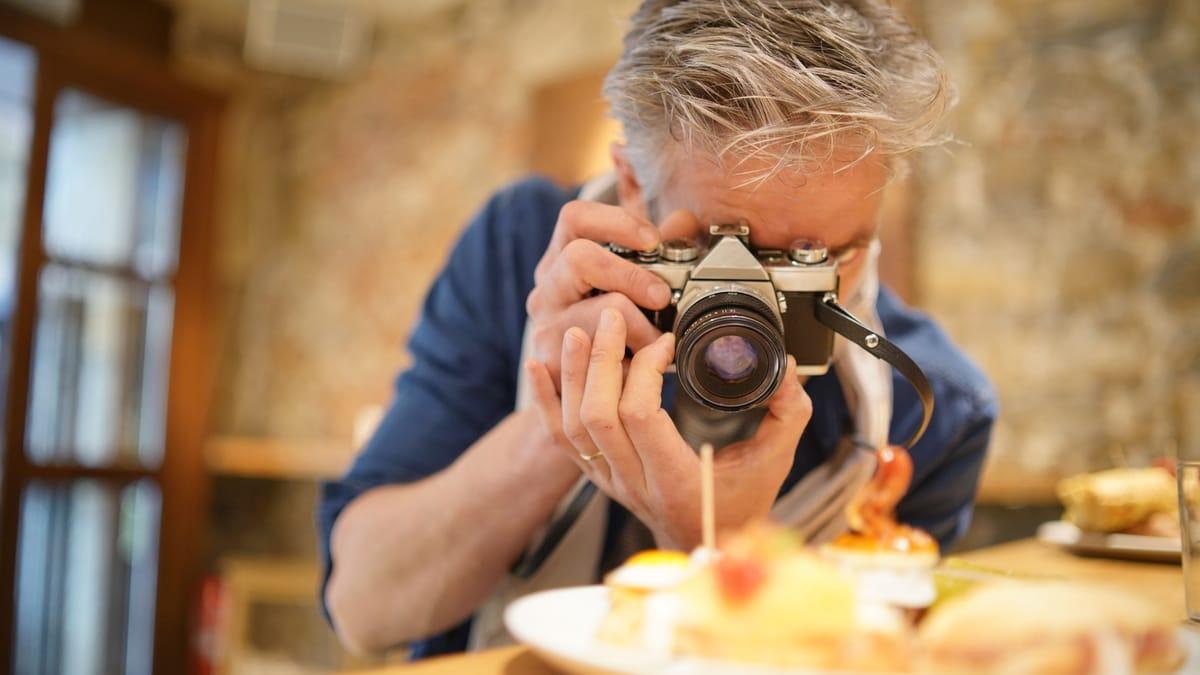
When someone finds your restaurant on Google Maps, the photos do most of the selling. People flick through them before they read a single review. They are deciding whether the food looks good, whether the room suits a date or a family lunch, and whether the place in the pictures is the place they will find when they arrive.
Yet a lot of listings are carried by whatever customers happened to upload: a dark shot of a half-eaten curry, a blurry selfie, the toilets. Here is what to put on your listing instead, in rough order of importance, and how to take the photos without hiring anyone.
Owner photos and customer photos
Your listing shows two kinds of photo. The ones you upload are marked as coming from the owner. The rest come from customers and from Google's own Street View imagery. You can't remove a genuine customer photo just because it is unflattering, but you can make sure your own photos are good enough, and numerous enough, that they set the impression.
Google also chooses which photos to show first for different searches. Someone searching for "pizza near me" may see a pizza photo from your listing before your cover. That is a good reason to cover your main dishes properly instead of relying on one great shot.
1. The cover photo
Set a cover photo deliberately. It is the image Google prefers to lead with, though it doesn't always use it. Pick the single photo that best answers "what kind of place is this?". For a cafe that might be the counter with coffee and pastries in view. For a dinner restaurant, the room at night with tables set. Avoid a close-up of one dish unless you are known for exactly that dish.
2. The shopfront, from the street
This one is practical. People use it to find you. Take it from across the road so the sign, the door and something next door are in frame. If you are hard to spot (upstairs, in an arcade, behind a car park), add a second photo of the entrance itself. If your trade is mostly at night, take one at night too, lights on.
3. The room
Show the space people will sit in. A wide shot from a corner, a shot of the outdoor seating, the courtyard, the big table for groups, the bar. These answer questions people have before they book: is there room for a pram, is it loud, can we sit outside with the dog. Take them when the room is tidy and the light is good, and include a few customers if you can, with their permission. An empty room can look like a quiet one.
4. Your best sellers
Photograph the dishes and drinks people actually order, not the whole menu. Your top ten sellers cover most of what searchers want to see. Keep each photo honest: the real portion, on your real plates, as it leaves the pass. A photo that oversells the dish earns a disappointed review later.
If you have a menu on your listing, add photos to the menu items too. Our guide to adding your menu to Google Business Profile shows how.
Want a second opinion on your listing?
Send us your cafe or restaurant's name and suburb. We'll check your photos, reviews and Maps position and send you the first three things we'd change. Free.
Get a free cafe check5. The people
A photo of the chef at the pass or the barista at the machine makes the listing feel run by someone. It is also the kind of photo customers rarely take. One or two is plenty, and ask your staff before you post them.
6. A short video
Google accepts short videos on the listing (up to 30 seconds). A slow pan across the room during service, or coffee being poured, does well. Keep it steady, skip the music and text, and hold the phone sideways.
How to take the photos on a phone
- Use daylight. Shoot food near a window, not under yellow downlights. Turn off the flash.
- Clean the lens. A greasy phone lens is the most common reason kitchen photos look foggy.
- Hold the phone level for room shots, and shoot from directly above or at a low angle for dishes. Avoid the halfway angle.
- Clear the clutter. Napkins, receipts and phones out of frame.
- Edit lightly. Brighten and straighten. Heavy filters make food look wrong, and Google discourages photos that are heavily altered.
- No text or logos on top. Save those for your Google posts and social media.
On size, Google asks for JPG or PNG files between 10 KB and 5 MB, at least 250 by 250 pixels, with 720 by 720 recommended. Any modern phone photo is fine.
What to leave off
Stock photos, photos of food you don't serve, screenshots of your menu PDF, and photos with prices that are out of date. The last one causes trouble at the counter. Also skip photos of a fit-out you have since changed. If the photos don't match the room, people notice when they walk in.
Dealing with bad customer photos
If a customer photo breaks Google's rules (it is of a different business, offensive, or has nothing to do with your venue), you can report it from the listing and Google may remove it. A genuine but unflattering photo will usually stay. The fix is volume: add good photos of your own regularly, so the weak one drifts down the list.
It also helps to make good photos easy for customers to take. A well-lit counter, food that looks good on the plate, a wall or sign people like to photograph. Customers upload what they enjoyed.
Keep them fresh
Add a few new photos every month: the new seasonal dish, the outdoor area in summer, the Christmas fit-out. A listing with recent photos looks like a place that is open and cared for, and it gives people a reason to look again. An easy habit is to take the photo for your weekly Google post and upload it to the listing at the same time. Our list of Google Business Profile post ideas for cafes gives you a year's worth of subjects.
Photos are one part of the picture. Reviews, categories and a website that backs up your listing count for more when it comes to where you rank. Our checklist on getting your cafe into the Google Maps top 3 puts them in order.
FAQs
How many photos should a restaurant have on Google?
There is no magic number. Aim for enough that someone can picture the whole visit: the shopfront, the room, the counter or bar, and your best-selling dishes and drinks. For most venues that is twenty or thirty good photos to start, then a few new ones each month.
Can I choose which photo Google shows first?
You can set a cover photo, and that is the one Google prefers to show. Google can still pick a different photo for some searches, often one that matches what the person searched for. Keeping a strong set of photos means whatever it picks looks good.
Can I delete a bad photo a customer uploaded?
Not directly. You can report a customer photo that breaks Google's content policies, for example one that is offensive, unrelated or of another business. An unflattering but genuine photo usually stays, so the answer is to add better photos of your own.
What size should Google Business Profile photos be?
Google asks for JPG or PNG files between 10 KB and 5 MB, with a recommended resolution of 720 by 720 pixels and a minimum of 250 by 250. A photo straight from a modern phone is fine.
Should I use stock photos on my Google listing?
No. Stock photos don't show your food or your room, customers can tell, and Google may reject or remove them. Use your own photos, even if they are taken on a phone.